
Silent Continuous Shooting Pro
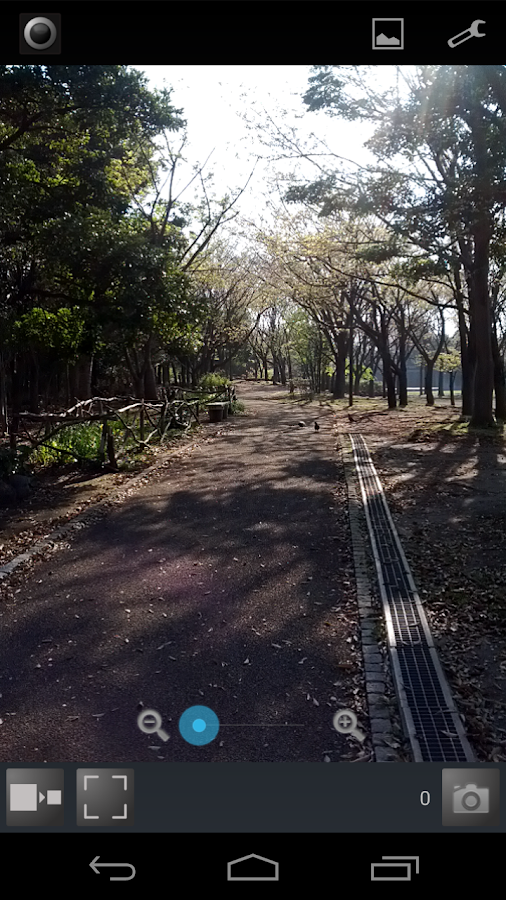
- High-resolution modeYou can shoot in the maximum preview resolution that your terminal supports by selecting [menu]->[settings].(This mode is supported depends on your terminal.)
- Continuous shooting settingsYou can set saving picture size and number of continuous shooting by selecting [menu]->[settings].
- Effect functionYou can set camera effect by selecting [menu]->[settings].
[Warning]- Since the preview picture is saved as it is, image quality is inferior to usual.
- In order to delete the photoed picture, please delete from a gallery or delete the file on SD card directly.
(/sdcard/ContShooting)
- Since it shoot automatically, it will become an immense quantity if it is neglected.
So you should backup or delete briskly.
- This application supports portrait only.
[Others]- Although general-purpose application development is kept in mind, a normal performance may not be carried out depending on the terminal in use.
So, before purchasing this application, I recommend you to use the free version "Silent Continuous Shooting".
- This application requires an access permit for the following purpose.
Hardware controls:using cameraNetwork communication:using browser in hidden modeStorage:saving photo
About Silent Continuous Shooting Pro
- Package name (App ID)
- org.g_okuyama.capture.pro
- Available on
- Google Play
- Price
- Free
- Version
- v2.4
- Developer
- Perraco Labs
Looking for the Silent Continuous Shooting Pro APK?
The safest way to get Silent Continuous Shooting Pro (org.g_okuyama.capture.pro) on your Android device is to install it directly from Google Play — you'll always get the latest official version, automatic updates, and no risk of modified or infected APK files from third-party sites.
Music Features
Enjoy high-quality music streaming and playback features.
Social Features
Connect and share with friends and the community.
Camera Features
Advanced camera features with editing capabilities.
See Silent Continuous Shooting Pro in Action

Frequently Asked Questions
Is Silent Continuous Shooting Pro free?
Yes, Silent Continuous Shooting Pro is free to download and install on Android through Google Play.
How do I install Silent Continuous Shooting Pro on Android?
Open Google Play on your Android phone or tablet, search for Silent Continuous Shooting Pro by Perraco Labs or tap the Google Play button on this page, then tap Install. The app downloads and installs automatically.
What is org.g_okuyama.capture.pro?
org.g_okuyama.capture.pro is the App ID (package name) of Silent Continuous Shooting Pro on Google Play. Every Android app has a unique package name, and it is the safest way to verify you are installing the official app.
Is Silent Continuous Shooting Pro safe to download?
Installing Silent Continuous Shooting Pro from Google Play is the safest option: you get the official version published by Perraco Labs, verified by Google Play Protect, with automatic updates. Avoid APK files from unofficial third-party sites.

Get Silent Continuous Shooting Pro Today
Silent Continuous Shooting Pro for Android — free download on Google Play.
Compatible with Android phones and tablets — available on Google Play.
Ask AI about this app
Get instant answers about features, tips and more from popular AI assistants.